 Parrot
A verdict for every word
Words a listener would hear as something else turn red, with what was heard. Words that were close but not quite turn amber. Mark a name once, and it never counts as misheard.
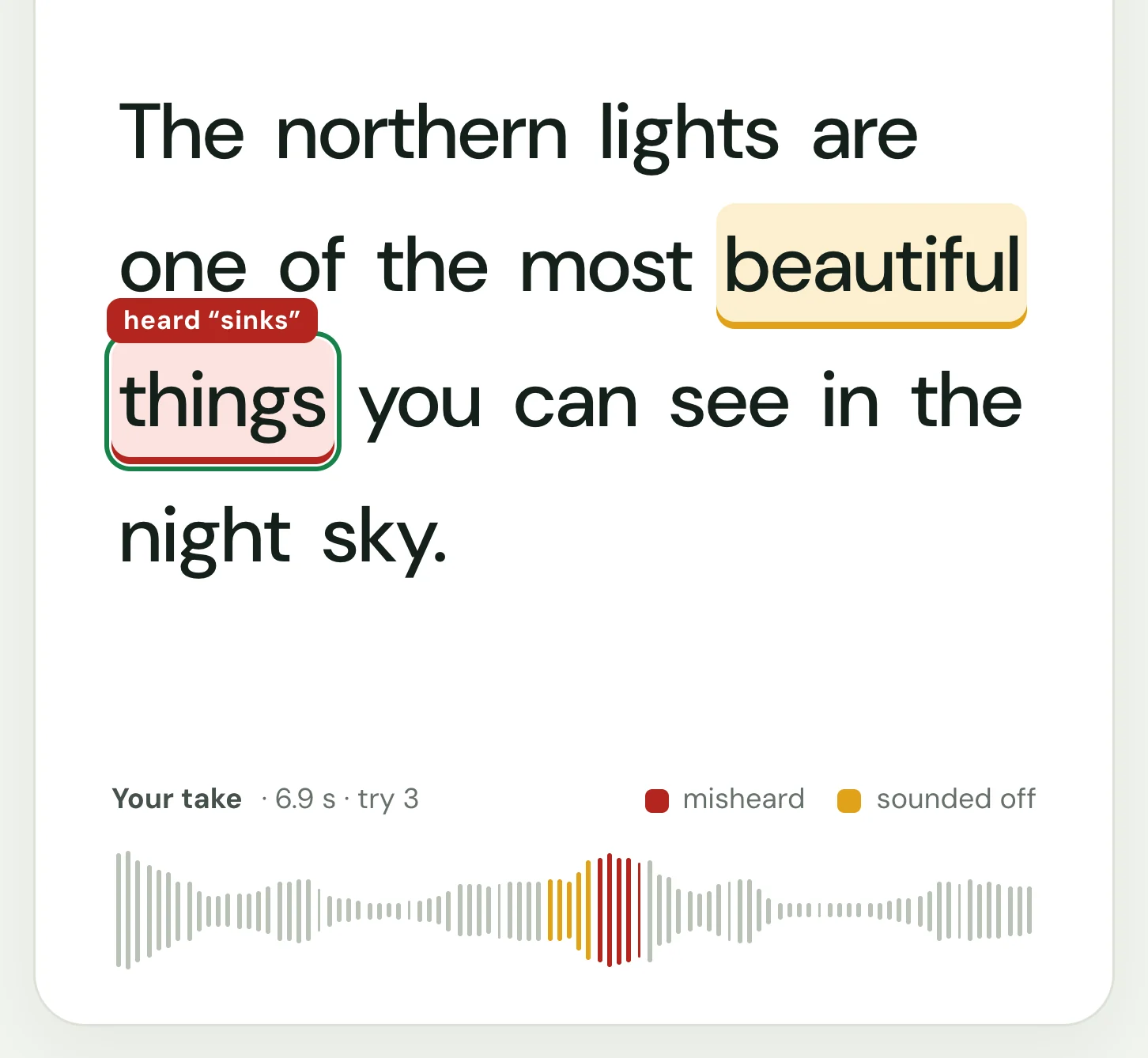
Like a pronunciation check, but for whole sentences: read what you actually need to say, and see exactly which words to work on.
Words a listener would hear as something else turn red, with what was heard. Words that were close but not quite turn amber. Mark a name once, and it never counts as misheard.
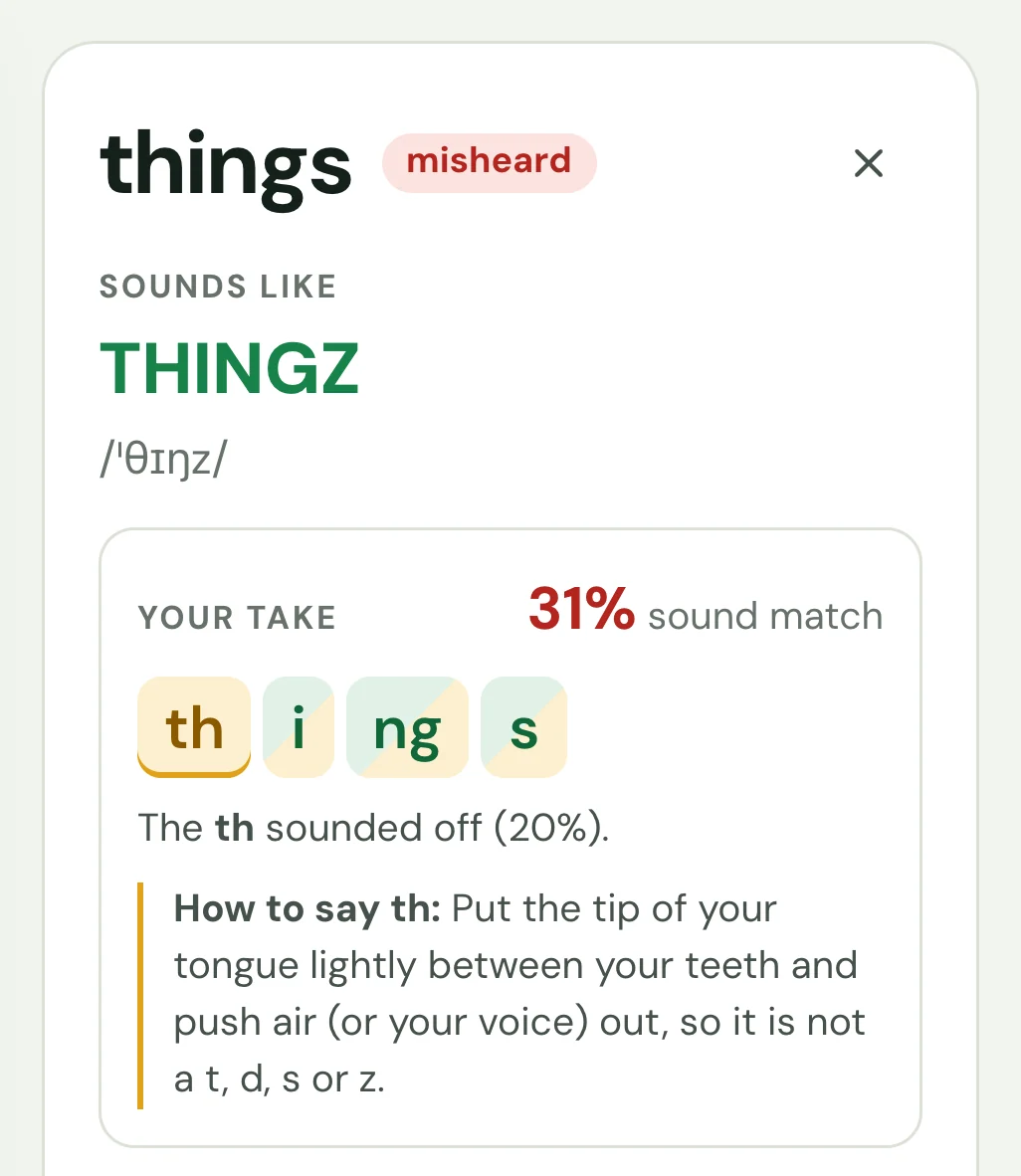
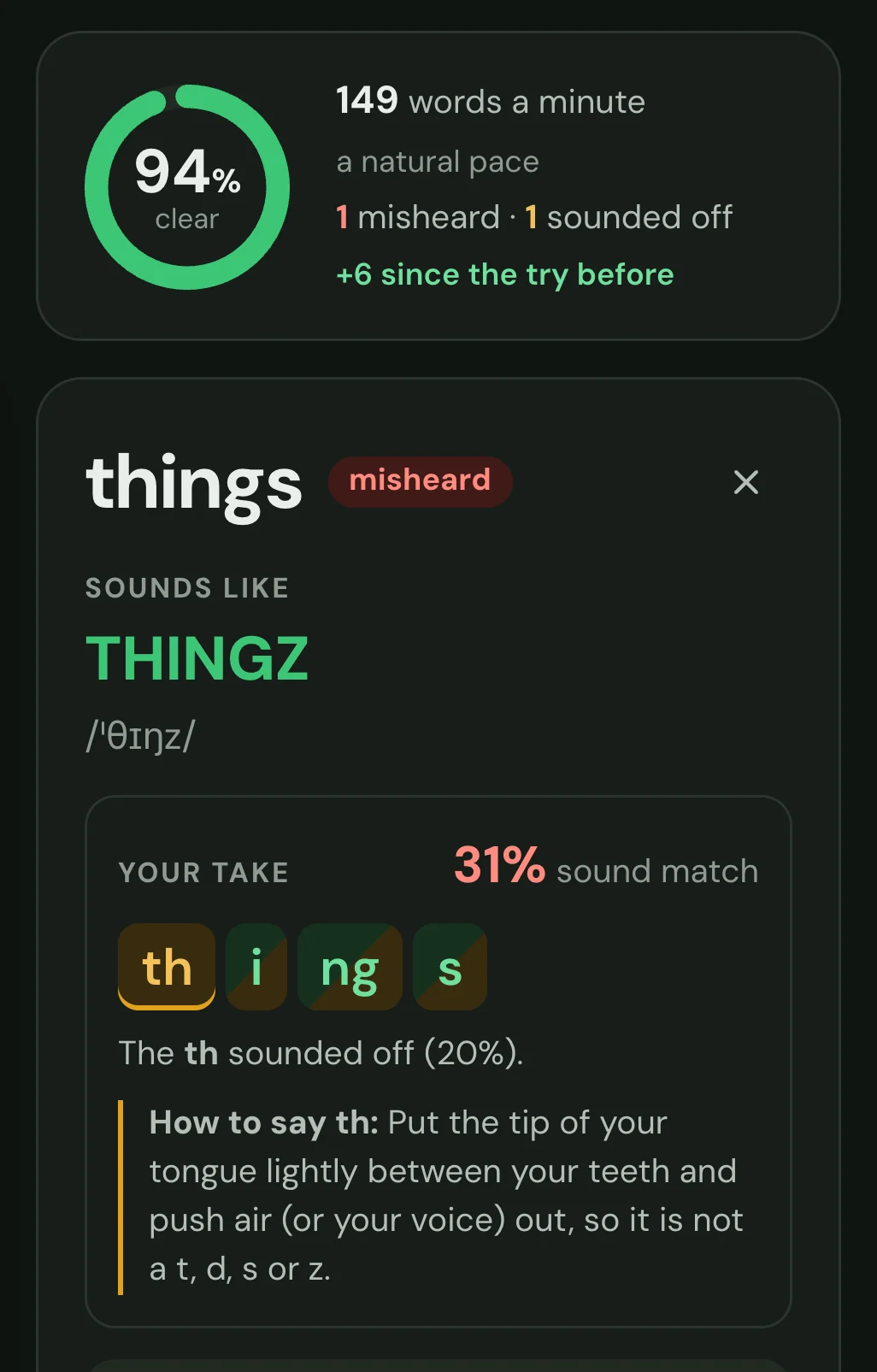
Click a word to see it spelled the way it sounds, with its stress and IPA, and hear it alone or slowed down.
Play your take with each word lit as you said it, or a single word cut from it, followed by the correct reading.
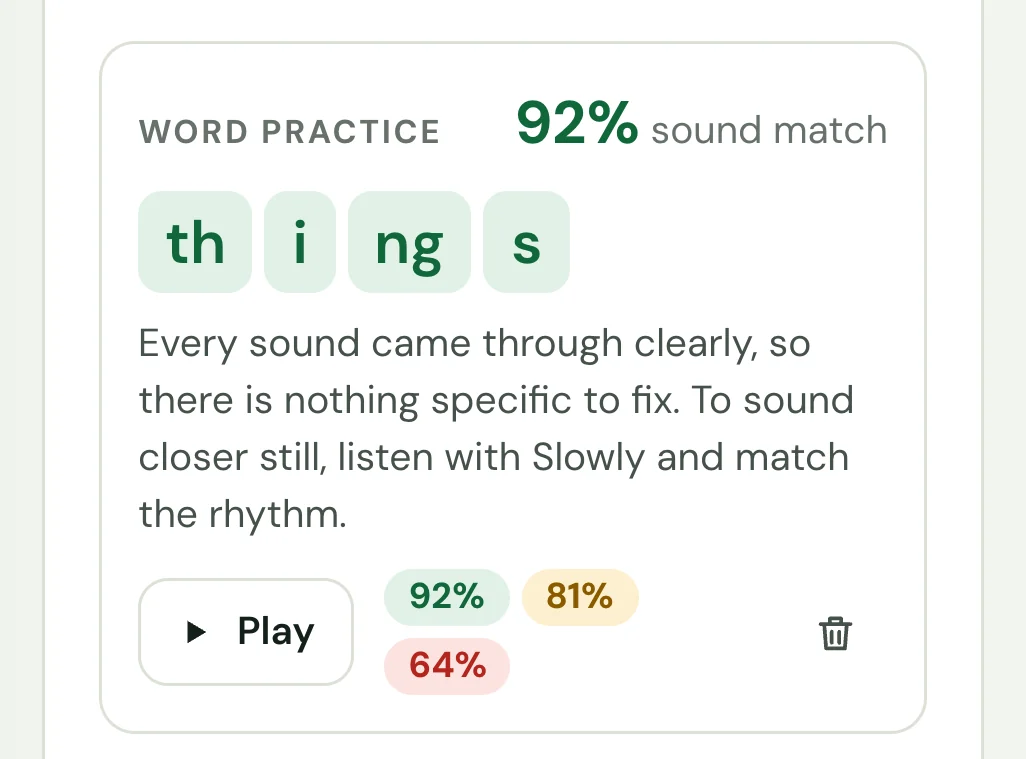
Each sound of a word is marked as you said it: green, amber or red, half green when it was right but not sure, with a tip on how to make the weakest. Then record just that word, as often as you like, without touching the sentence's score.
Hear each part read at full speed or slowed to 0.75 or 0.6, with every word lit as it is spoken.
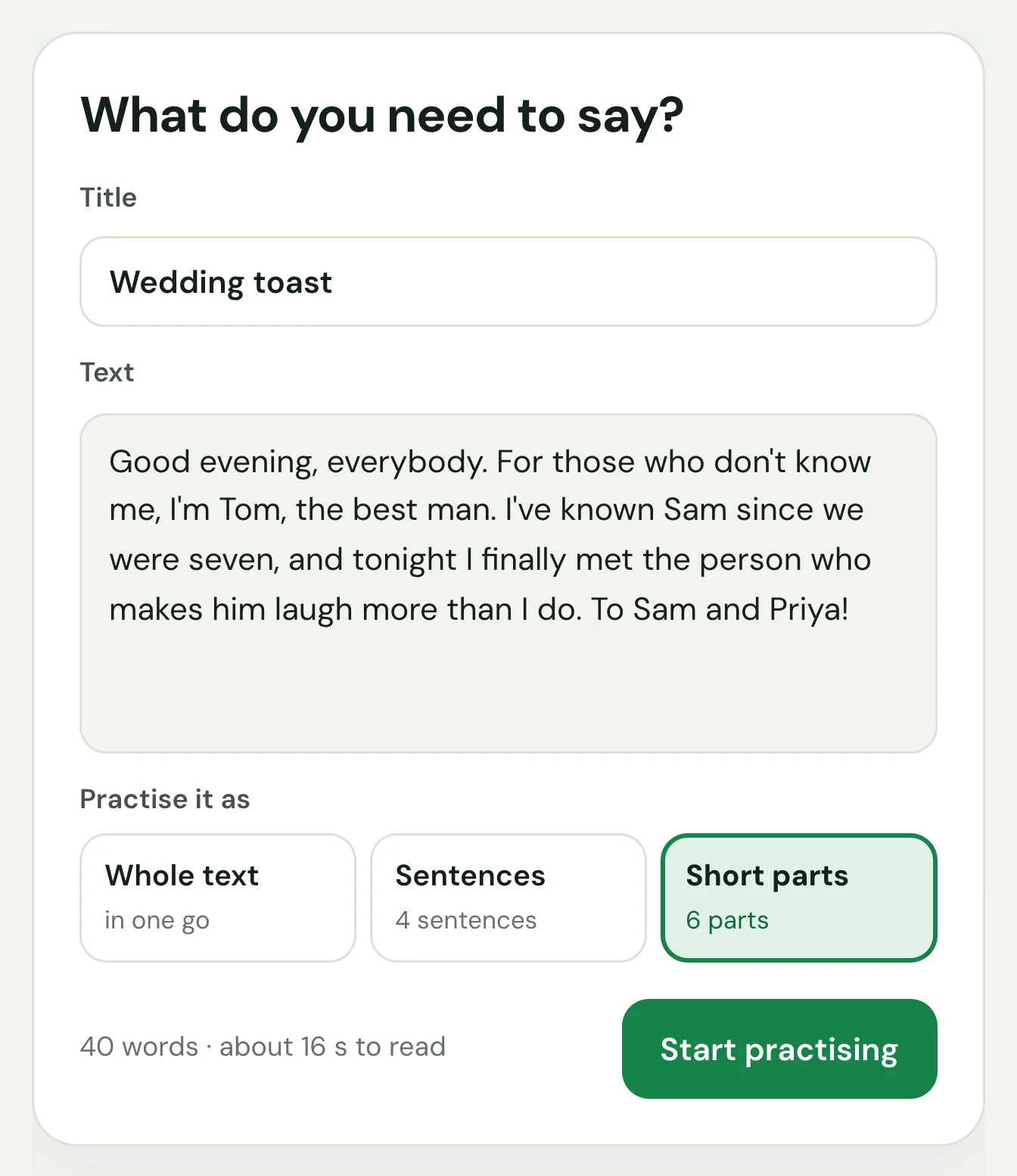
Paste an interview answer, a talk, a toast. Practise it whole, sentence by sentence, or in short parts cut at commas. Fix its words at any time: the tries of each part you change are scored again from their recordings.
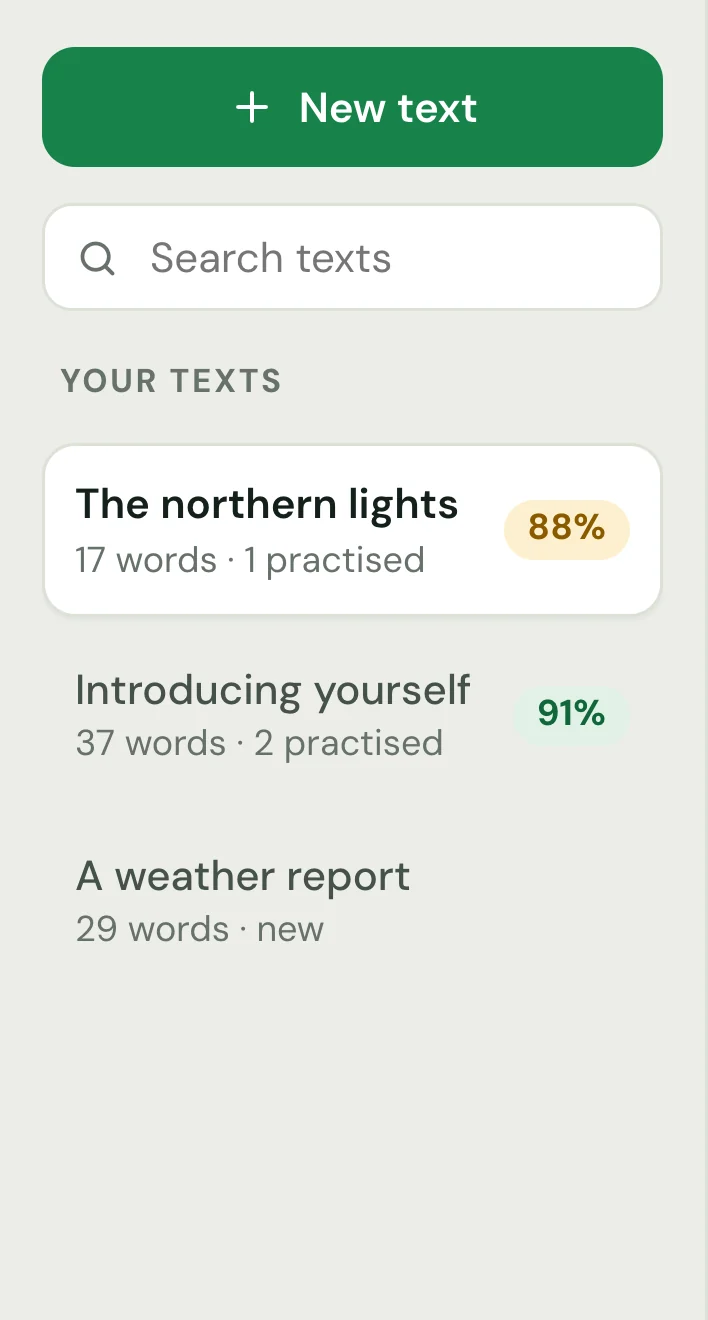
Every text you paste is kept with its score, and opens where you left off. Search them, rename them, switch in a click.
Tell a story or answer an interview question, with nothing to read, for up to 30 minutes, or pick a prompt for interviews, small talk or presentations. Parrot writes down what you say as you talk, so it's ready moments after you stop, and shows how each word came out, with your pace and every pause of over a second. Fix a word it misheard, then keep the talk as a text to practise, each sentence with its first try cut from the talk. A talk not kept when Parrot quits or crashes is offered again the next time.
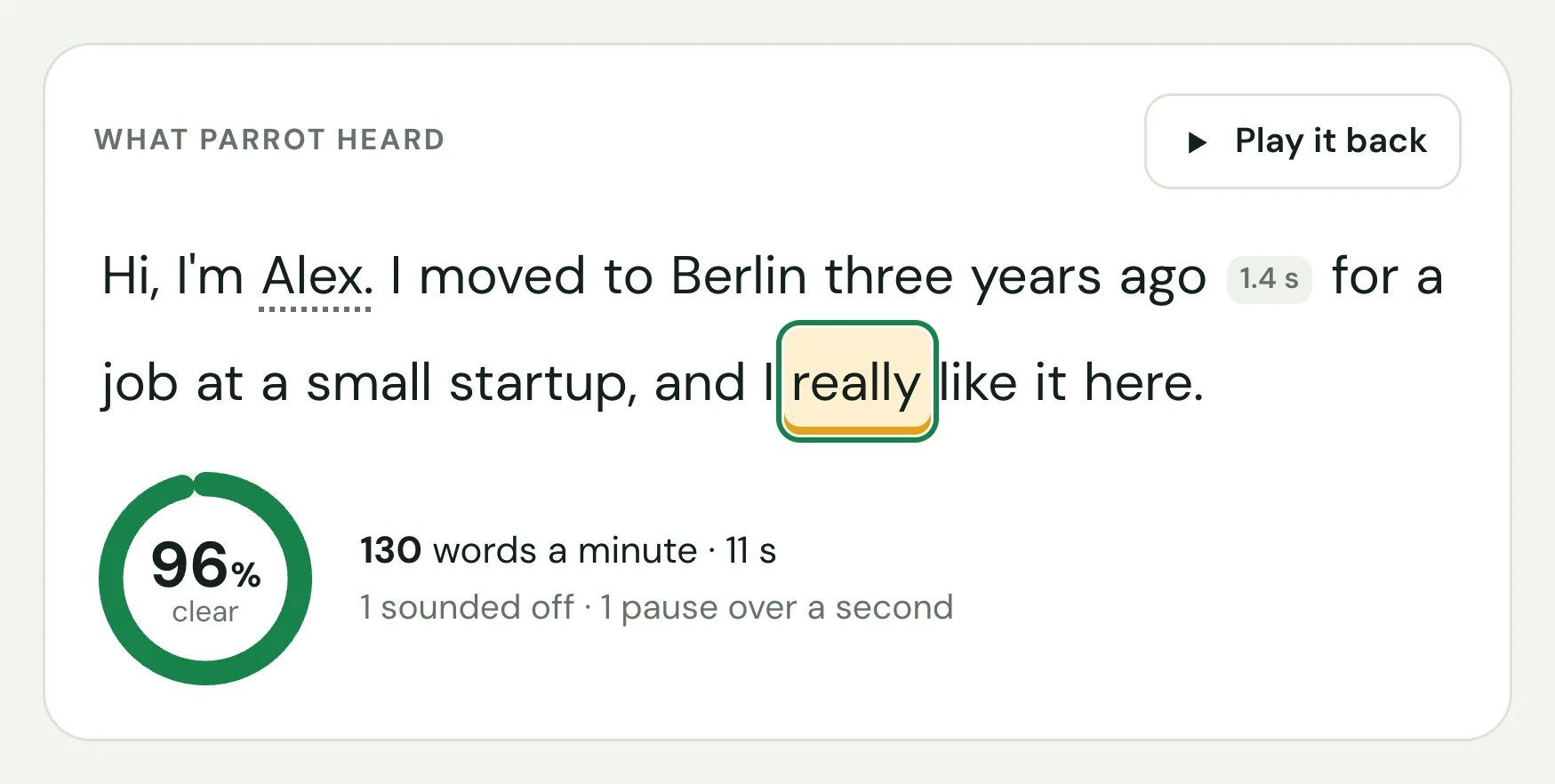
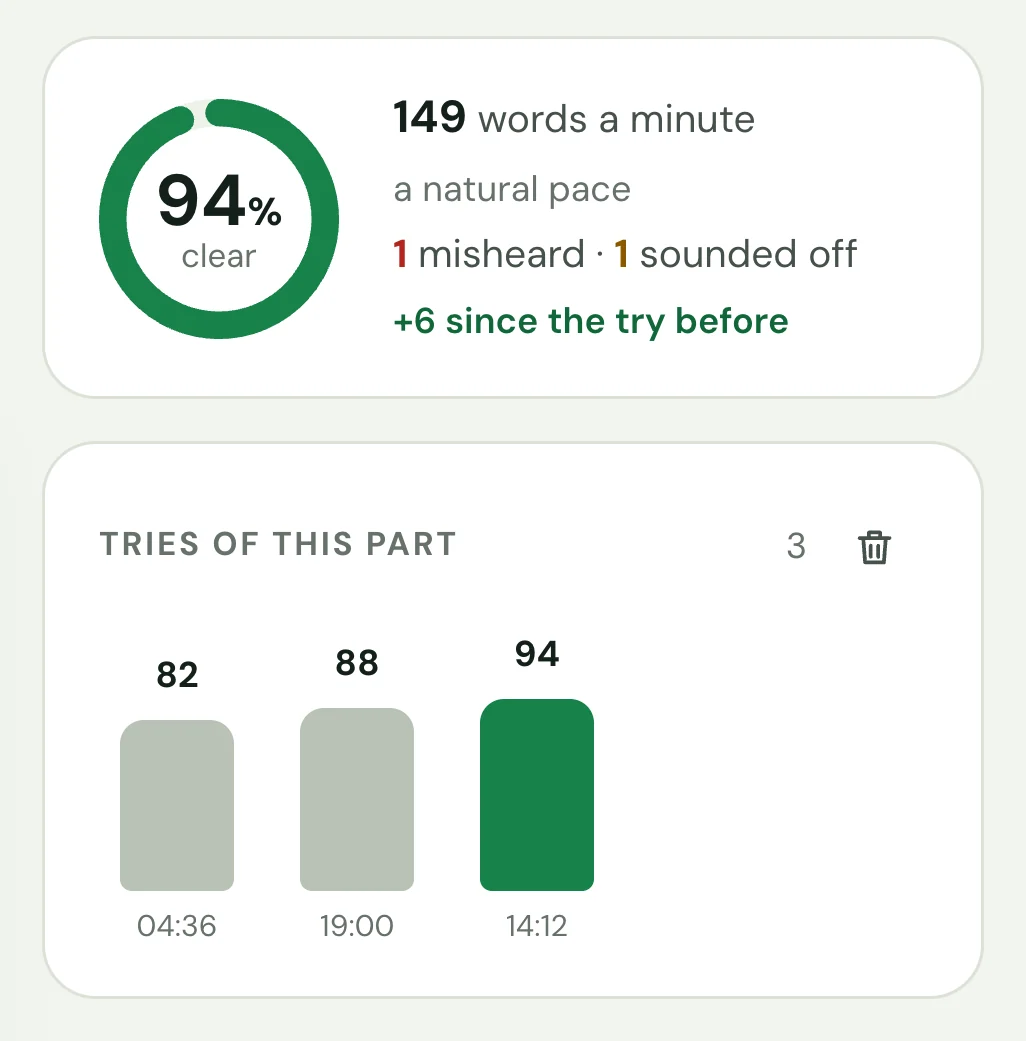
Every try is kept: watch a sentence go from 82% to 94%, and your pace settle at a natural 140 to 165 words a minute. Pauses of over a second are marked between the words.
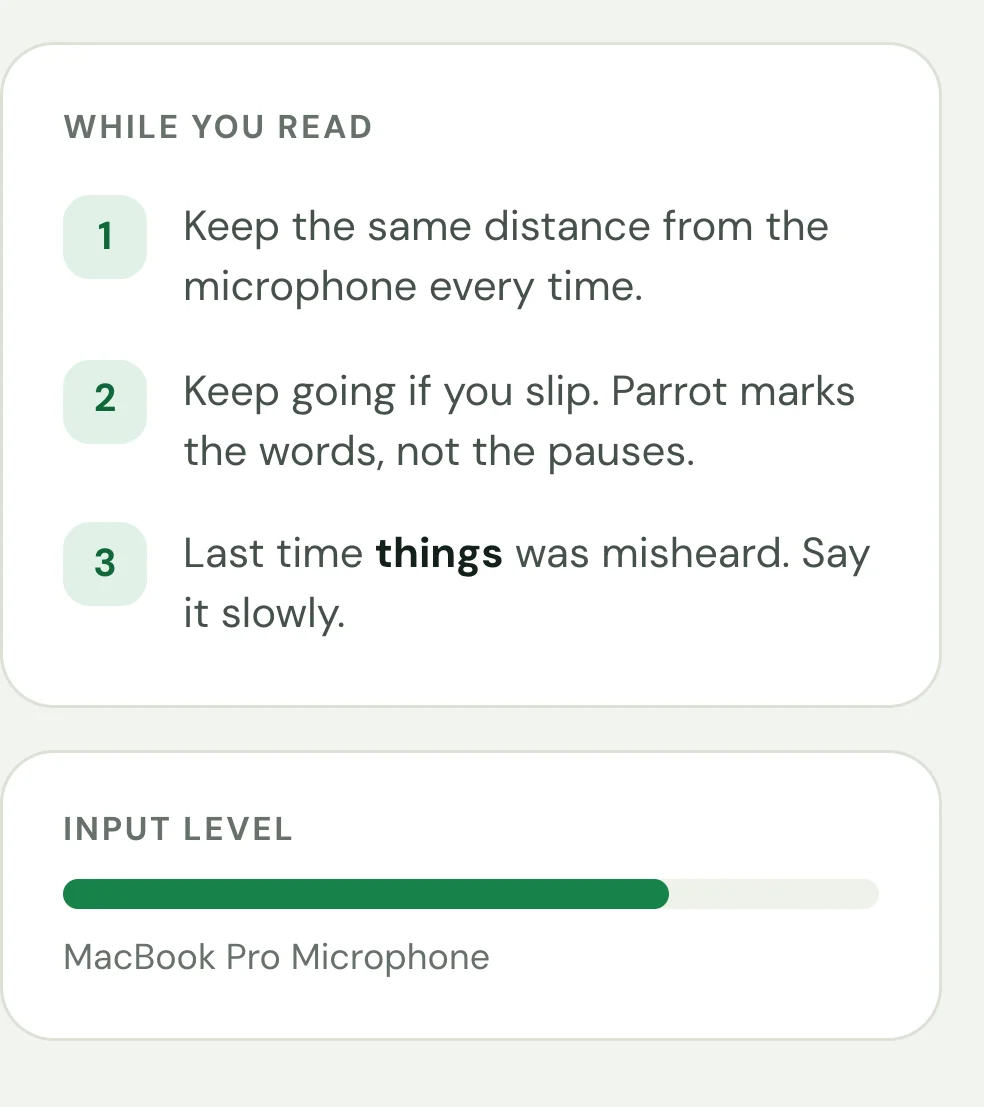
The microphone level shows you are heard, and tips remind you of the words that tripped you up last time.
Follows your system’s appearance, or pick one. Easy on the eyes for a late practice before a big day.
The AI models run on your computer (Whisper for speech recognition, wav2vec2 for the sound scores), offline once they are downloaded. There's no account and nothing is uploaded: your texts and recordings are plain files in a folder you can open, back up or delete. (A system voice marked “online” in Settings sends the text it reads, never your recordings, to its provider.)